

Virtual events can support business growth when they are built around a clear audience, a specific business goal, and a useful next step. The strongest programs combine focused content with live interaction, networking, and follow-up that moves interested attendees toward a conversation, demonstration, or other relevant action.
This guide explains how to choose the right format, select practical technology, promote the event, keep participants engaged, and measure results. Use it to plan webinars, workshops, product demonstrations, or larger online conferences without treating attendance as the only measure of success. The goal is to connect event activity to lead quality, relationship development, customer education, and revenue opportunities.
Start With a Business Outcome
A virtual event should solve a defined audience problem and support a defined business objective. “Host a webinar” is an activity, not an objective. A better plan identifies who the event is for, what attendees should learn or accomplish, and what relevant action they can take afterward.
Choose one primary objective before planning the agenda. Supporting objectives are acceptable, but trying to generate leads, train customers, recruit partners, establish thought leadership, and launch a product in one event usually produces a scattered experience.
- Lead generation: Attract people who fit a defined customer profile and give them a reason to continue the conversation.
- Customer education: Help customers adopt a process, understand an offer, or use a solution more effectively.
- Relationship development: Connect prospects, customers, partners, or peers around a shared business challenge.
- Market education: Explain an important problem, decision, or approach without turning the entire program into a sales presentation.
- Sales support: Demonstrate an offer, answer common questions, and help qualified prospects evaluate an appropriate next step.
Write a one-sentence event brief that connects the audience, problem, promised outcome, and next step. That brief should guide the title, speakers, agenda, promotional message, and follow-up campaign.
Define the Audience and Event Promise
Broad targeting makes event promotion and content less persuasive. Instead of planning for “business owners,” define the relevant role, company situation, problem, and level of awareness. A founder trying to build a repeatable sales process needs a different session from a marketing leader evaluating campaign operations.
Use audience research, customer conversations, sales questions, support requests, and previous content engagement to identify a useful topic. The event promise should describe what attendees will understand, decide, or be able to do by the end. Keep that promise specific enough to shape the agenda and realistic enough to fulfill during the available time.
Registration forms should request only information that has a clear operational or follow-up purpose. Name, email address, role, and one question about the attendee’s priority may be enough for a focused session. Every additional field creates work for the registrant and a data-handling responsibility for the organizer.
Choose the Right Virtual Event Format
The best format depends on the desired audience experience, not on which platform has the longest feature list. Consider how much content must be delivered, how much participation the topic requires, and whether attendees need to meet one another.
Webinars
Webinars work well for focused education, interviews, panels, and market briefings. Keep the scope narrow, organize the presentation around a clear progression, and reserve time for relevant questions. A webinar can support lead generation, but its educational value should stand on its own.
Interactive Workshops
Choose a workshop when attendees need to apply an idea rather than merely hear about it. Give participants a worksheet, decision framework, or practical exercise. Build in working time, explain each task clearly, and allow participants to compare decisions or ask for clarification.
Product or Service Demonstrations
A demonstration should connect capabilities to recognizable use cases. Start with the audience’s problem, show the relevant workflow, and explain who the offer is and is not designed for. Leave enough time for evaluation questions, and provide a clear way for qualified attendees to request a more specific conversation.
Roundtables and Networking Sessions
Roundtables are useful when peer insight and relationship building matter more than formal presentation. Keep groups small enough for participation, use a capable facilitator, and give each discussion a defined question. Share participant expectations in advance so the event does not become an unstructured pitch session.
Virtual Conferences
A larger conference can serve multiple audience interests through tracks, panels, workshops, and sponsor sessions. It also introduces more operational risk. Use this format only when the audience and content justify the added coordination. Clear navigation, schedule communication, speaker preparation, and attendee support become especially important.
Design for Attention and Participation
Virtual attendees can leave with little friction, so every session should make its value apparent. Open by restating the problem, intended outcome, and agenda. Break complex material into logical sections and change the mode of participation when doing so helps people process or apply the material.
- Use polls to gather relevant input or help attendees assess their current situation.
- Invite questions at defined points instead of leaving the process ambiguous.
- Use chat prompts that ask for a decision, example, or obstacle rather than generic reactions.
- Provide templates, checklists, or worksheets that help attendees apply the lesson.
- Schedule breaks when the program length makes sustained screen time unreasonable.
Do not add interaction simply to create activity. A poll with no connection to the discussion or a breakout room without instructions can reduce confidence in the event. Every interactive element should support learning, decision-making, networking, or useful feedback.
Make Networking Purposeful
Networking needs more structure online than it often receives at an in-person gathering. Tell attendees who they may meet, why those connections could be useful, and how each activity will work. Collect optional information about interests or goals when it is genuinely needed for matching.
Small-group discussions, moderated roundtables, scheduled one-to-one meetings, and topic-based rooms can all work. Give participants a concise prompt and enough time to introduce themselves, discuss the topic, and identify an appropriate next step. Make participation optional and provide a clear way to report unwanted solicitation or behavior.
Networking does not end when the live room closes. With appropriate permission, organizers can provide an attendee directory, open a time-limited community space, or invite participants to a follow-up discussion. Set expectations for privacy, moderation, and promotion before opening any continuing community.
Build a Practical Technology Stack
A virtual event technology stack may include registration, email communication, video delivery, audience interaction, analytics, payment, and customer relationship management tools. A simple event may need only a dependable meeting platform and registration workflow. A conference with multiple tracks, sponsors, and networking may require dedicated event management capabilities.
| Selection factor | What to evaluate |
|---|---|
| Attendee experience | Registration, access, navigation, device compatibility, and accessibility |
| Session delivery | Presenters, screen sharing, recording, moderation, and backup options |
| Engagement | Chat, questions, polls, breakouts, meetings, and networking |
| Data | Attendance records, useful engagement signals, exports, and integrations |
| Operations | Reliability, support, staff permissions, security controls, and total cost |
Evaluate current vendor documentation and test the exact workflow before committing. Avoid assuming that a named platform includes a particular feature, integration, or service level. Product capabilities and commercial terms can change.
Map how registration data, attendance records, interaction data, and follow-up actions move between systems. Assign an owner to each handoff. This reduces duplicate work and helps the team identify missing consent, broken integrations, or unclear reporting responsibilities before the event.
Promote the Event Around Audience Value
Promotion should answer four questions quickly: Who is the event for? What problem will it address? What will attendees gain? Why are the speakers or facilitators appropriate for the subject? Use consistent answers across the registration page, email, partner materials, and social promotion.
Create a promotion plan with dates, owners, audience segments, messages, and channels. Existing customers, prospects, referral partners, and broader audiences may need different framing. Segment messages only when the differences are meaningful, and avoid implying that the event is exclusive or urgent unless that is genuinely true.
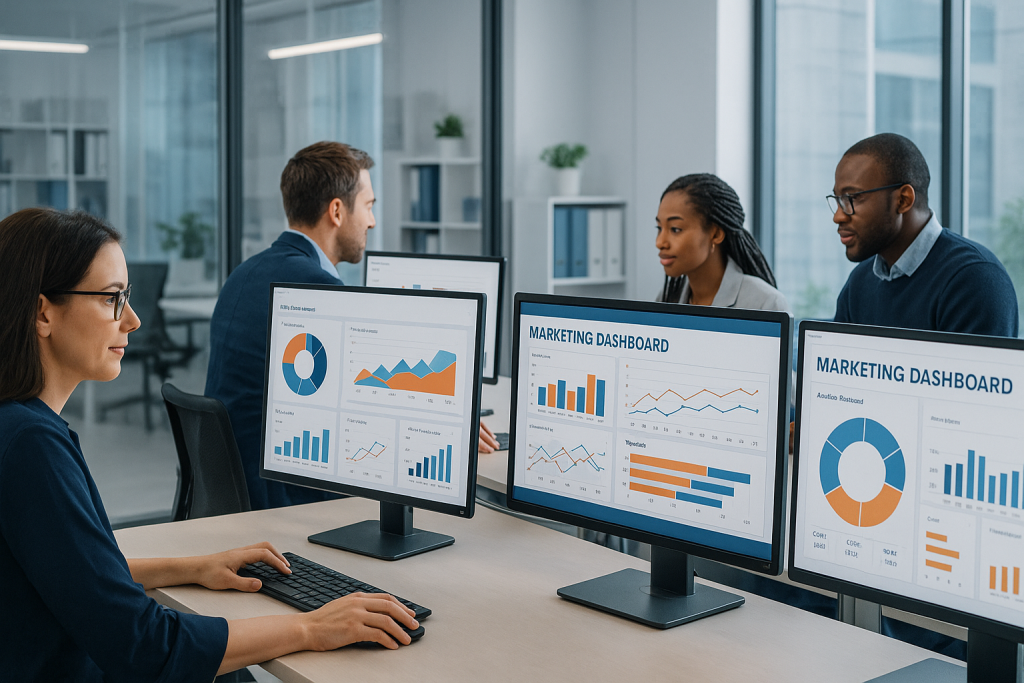
Partners and speakers can extend distribution when the event is relevant to their audiences. Give them accurate descriptions, correctly sized creative assets, suggested messages, and trackable links where appropriate. Define any lead-sharing arrangement, sponsor benefit, or co-marketing responsibility before registration begins.
Use reminder messages to reinforce value, timing, access instructions, and preparation requirements. Do not rely on repeated countdown messages alone. A useful resource, speaker preview, agenda highlight, or pre-event question gives registrants a better reason to pay attention.
Prepare the Team and Reduce Operational Risk
Create a run of show that lists every segment, speaker, transition, interaction, and call to action. Assign responsibility for hosting, moderation, technical support, attendee questions, recording, and follow-up. Speakers should know how they will enter, share material, respond to time cues, and handle questions.
Conduct a rehearsal using the same equipment, accounts, permissions, and presentation files planned for the live event. Test microphones, cameras, screen sharing, videos, links, captions, recording, and handoffs. Prepare a backup host, local copies of essential materials, and a communication channel the production team can use without disrupting attendees.
Accessibility should be considered during planning, not added at the last minute. Depending on the audience and event, appropriate measures may include captions, transcripts, readable slides, keyboard-friendly navigation, clear verbal descriptions, and materials delivered in accessible formats.
Handle Attendee Data Responsibly
Collect only the data needed to operate, improve, or follow up on the event. Explain how information will be used, limit access to authorized team members, and establish a retention process. Do not assume that registration automatically authorizes unrelated marketing, partner outreach, recording distribution, or public use of attendee comments.
Privacy, recording, accessibility, sponsorship, and promotional rules vary by location and situation. Review the requirements that apply to your organization and audience, and obtain appropriate legal or privacy guidance when needed. This article provides general planning guidance and is not legal advice.
Turn the Event Into a Follow-Up Campaign
Plan follow-up before the event so the team is not improvising after attention has moved elsewhere. Decide which resources attendees will receive, who will respond to questions, how qualified requests will reach sales, and what non-attendees will receive.
Segment follow-up by relevant behavior and relationship, not by activity volume alone. Someone who requested a consultation may warrant direct outreach. Someone who attended an educational session but took no commercial action may be better served by the recording, a summary, and an optional related resource.
- Send promised recordings, slides, worksheets, or summaries with clear access instructions.
- Answer unresolved questions or direct attendees to an appropriate resource.
- Invite qualified people to a relevant next step without treating every attendee as sales-ready.
- Ask a short set of questions about usefulness, clarity, interaction, and desired future topics.
- Repurpose useful sessions into clips, articles, guides, or customer education materials when permissions allow.
Measure Business Impact, Not Just Attendance
Choose metrics that correspond to the primary objective. Registration volume can show promotional reach, but it does not establish lead quality, learning, relationship value, or revenue impact. Review several types of evidence together rather than using one engagement signal as proof of success.
| Goal | Useful measures |
|---|---|
| Audience acquisition | Registrations by source, audience fit, attendance, and acquisition cost |
| Engagement | Viewing time, questions, poll participation, resource use, and feedback |
| Networking | Meeting participation, relevant connections, follow-up activity, and attendee feedback |
| Lead development | Qualified leads, requested next steps, sales acceptance, and progression over time |
| Customer education | Completion, understanding, adoption signals, support needs, and follow-up questions |
| Business impact | Attributed opportunities, customers, partnerships, revenue, and total event cost |
Agree on definitions before reporting. For example, a registrant is not automatically a lead, and a lead is not automatically qualified. Document attribution assumptions and acknowledge when an outcome involved several marketing or sales interactions.
After the event, hold a review with marketing, sales, customer success, and operations as appropriate. Compare results with the stated objective, identify where attendees encountered friction, and choose a small number of improvements for the next program. Preserve the decisions in a reusable event brief or checklist.
A Practical Virtual Event Planning Checklist
- Define the primary business objective and the intended audience.
- Write a specific, achievable event promise.
- Select the format that fits the desired learning, sales, or networking experience.
- Build the agenda and give every session a clear purpose.
- Choose and test the minimum reliable technology stack.
- Assign owners for promotion, production, moderation, support, and follow-up.
- Create audience-specific promotion and reminder messages.
- Rehearse the complete attendee and presenter experience.
- Prepare follow-up resources and routing before the live session.
- Measure results against the objective and document improvements.
Frequently Asked Questions
Which virtual event format is best for generating leads?
There is no universal best format. A focused webinar can attract people interested in a defined problem, while a workshop can reveal stronger intent through active participation. Choose the format that delivers meaningful value and creates a logical next step for the audience.
How long should a virtual event be?
Length should follow the promised outcome and participation model. A briefing may need less time than a working session or conference. Remove unnecessary material, communicate the schedule clearly, and include breaks when the program requires extended screen time.
How can a virtual event support networking?
Use structured introductions, facilitated small groups, topic-based rooms, or scheduled meetings. Explain the purpose and rules, provide useful discussion prompts, and create an appropriate way for participants to continue mutually desired conversations afterward.
What should we do if attendance is lower than expected?
Review audience fit, message clarity, registration sources, reminder delivery, timing, and technical access. Evaluate the quality and actions of the people who did attend before declaring the event unsuccessful. Recordings and follow-up content may still create value when used appropriately.
How soon should we follow up?
Send promised materials and respond to direct requests promptly. The exact schedule depends on the event and audience, but the team should prepare messages and routing in advance. Follow-up should reflect attendee interests and communication preferences rather than placing everyone into the same sales sequence.
Build the Event Around the Next Useful Step
Virtual events contribute to business growth when content, interaction, networking, and follow-up work as one system. Start with a clear audience and objective, select the simplest format and technology that can fulfill the promise, and define how interested attendees can continue their progress.
Treat each event as both a live experience and a source of business learning. The questions attendees ask, the resources they use, the connections they make, and the actions they take afterward can help improve future marketing, sales, customer education, and relationship-building efforts.